TL;DR
Moving your AI workstation into a closet or separate room is the most effective way to cut noise and heat. Proper ventilation and strategic placement are crucial for safety and performance. Acoustic foam alone won’t solve the problem — isolation and airflow matter most.
Acoustic dampening
& the rig in the closet.
The most powerful noise fix isn’t a material — it’s a floor plan. A rig you can’t hear because it’s in another room beats any amount of foam. Tap the approaches in Part 1 to see what actually works.
(another room)
(levers 1–4)
(door / barrier)
(acoustic foam)
Contain the noise, not the heat
Key Takeaways
- Moving your AI rig into a separate room or closet is the most effective way to reduce noise and heat.
- Proper ventilation and airflow management are critical when placing a high-power machine in a confined space.
- Acoustic foam alone won't block noise; combine barriers and vibration isolation for best results.
- Identify reflection points in your room to target acoustic treatments effectively.
- Use a wired connection and monitor temperatures carefully to keep your closet rig safe and efficient.

Ergotopia Akustik Trennwand Schreibtisch (180 x 80 x 2,8 cm), Verstellbarer Sichtschutz für Büro | Fokus Tischtrennwand in grau, Schallschutz Raumtrenner mit Klemmen, Schreibtisch Akustikwand
𝗠𝗮𝘅𝗶𝗺𝗮𝗹𝗲𝗿 𝗙𝗼𝗸𝘂𝘀 - Das schallabsorbierende Material aus recycelten Polyesterfasern mit hohem Schallschutz reduziert Ablenkungen durch störende Bürogeräusche und...
As an affiliate, we earn on qualifying purchases.
As an affiliate, we earn on qualifying purchases.
Why Distance and Isolation Are Your Best Noise Fixes
Distance beats foam every time. If you put your high-power AI rig in another room, the noise drops faster than any foam panel can absorb it. Think of it like a loud speaker in a hallway versus one in a closet — the farther away, the quieter it sounds.
For example, I moved my GPU server into a spare bedroom. The noise almost vanished from my main office. A quick wired network and some ventilation, and I had a silent, cool setup.
In fact, according to research, sound intensity drops by about 6 dB each time you double the distance from the source. That’s a huge difference. This matters because it shows that physical separation isn't just about reducing noise—it fundamentally lowers the sound pressure level that reaches your ears, making your environment significantly quieter. The tradeoff, of course, is convenience; you need to ensure your setup remains accessible and connected, which might involve longer cables or more complex wiring. But the payoff in noise reduction is often worth it, especially for sensitive work or a peaceful home office.

ABYSM Gaming E-ATX AI Pro 100 Workstation Gehäuse mit Höhe für 180-mm-Kühlkörper und Grafikkarten bis zu 420 mm
Unterstützt E-ATX / ATX / Micro ATX / ITX Motherboards. Bietet eine Höhe für den CPU-Kühler von 180...
As an affiliate, we earn on qualifying purchases.
As an affiliate, we earn on qualifying purchases.
The 'Rig in the Closet' Setup: How to Do It Right and Avoid Overheating
The 'rig in the closet' is a clever way to keep noise contained. You house your GPU, CPU, and other hardware inside a closet or cabinet, then run ventilation ducts or fans to keep it cool. But beware — heat can build up fast if not managed properly, leading to thermal throttling, reduced lifespan, or outright hardware failure.
For instance, I installed a quiet exhaust fan and passive vents in my closet. The temperature stayed steady, even during intense AI training sessions. This is crucial because high temperatures can cause GPUs to throttle performance to prevent damage, which defeats the purpose of a high-performance setup. Additionally, heat can damage components over time, leading to costly repairs or replacements. Proper airflow design involves not just adding fans but understanding airflow paths: cool intake air needs to reach all components, and hot exhaust needs to escape efficiently. This often means positioning fans strategically—placing intake vents lower and exhaust higher to leverage natural convection. The tradeoff here is complexity; more components mean more points of failure and maintenance, but the benefits in performance and longevity are significant. According to [this guide](https://thorstenmeyerai.com/reduce-heat-noise-ai-workstation/), active ventilation is essential. Using ducted exhaust fans, thermostatically controlled vents, or even a small AC unit can help maintain optimal temperatures, ensuring your rig runs efficiently without overheating.
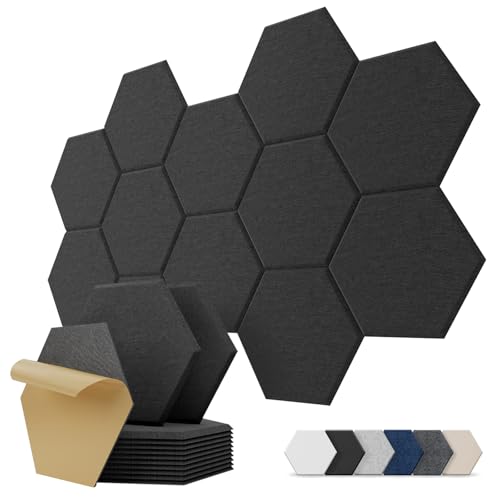
Kuchoow Acoustic Panels Hexagon Akustikplatten Selbstklebend für Wand
Weniger Echo. Klarerer Klang: Diese sechseckigen Akustikplatten reduzieren Echo, Nachhall und Schallreflexionen für eine angenehmere Raumakustik. Die dichte...
As an affiliate, we earn on qualifying purchases.
As an affiliate, we earn on qualifying purchases.
Placement Tips: How to Position Your Noise Sources for Maximum Silence
Placement is everything. Position your noisy components—like the GPU and power supply—away from the room’s quiet zones. Use cable management to keep heat sources away from cooling vents and airflow paths. Proper placement ensures that heat and noise are directed away from you and your workspace, rather than bouncing around and amplifying.
For example, I placed my GPU at the back of the closet, facing the exhaust fan, with cables routed to avoid obstructing airflow. I also kept intake vents at the bottom, drawing in cooler air from outside the closet. This arrangement helps create a balanced airflow, reducing hotspots and noise reverberation. Identifying reflection points in your room is also critical. Use a mirror held at ear level while seated at your workspace; where you see reflections of your speakers or monitors, those are spots where sound bounces and can amplify echoes. Placing acoustic foam or diffusers at these reflection points reduces sound bouncing, preventing echoes and leakage that can make your setup seem louder than it is. The tradeoff with placement is that it requires some trial and error, but the payoff is a significantly quieter environment that feels more controlled and less stressful for your ears and mind.

Baseltek 6 GPU Aluminium Mining Rig Open Air Frame Case
Alle Profile aus Aluminiumlegierung, stark und langlebig, vollständiger Schutz von Grafikkarten und elektronischen Geräten, können fest übereinander gelegt...
As an affiliate, we earn on qualifying purchases.
As an affiliate, we earn on qualifying purchases.
Comparison Table: Foam Absorption vs. Barriers vs. Vibration Isolation
| Technique | What It Does | Best For | Limitations |
|---|---|---|---|
| Acoustic Foam | Absorbs airborne sound within a room, reducing echo and reverberation. It’s effective in controlling how sound waves bounce around, which improves clarity and reduces perceived loudness. | Reducing echo, softening reflections, and preventing sound from traveling into adjacent spaces. | Does not block sound transmission through walls or floors; it mainly prevents internal reflections. It’s less effective against low-frequency noise, which requires thicker or specialized bass traps. |
| Soundproof Barriers | Block transmission of sound between spaces, preventing noise from escaping or entering. Materials like mass-loaded vinyl or dense drywall work by adding mass to walls or enclosures. | Creating physical barriers to contain noise, especially in shared environments or multi-room setups. | Heavy, expensive, and requires proper sealing to be effective. They can be intrusive and may reduce room size or usability if not planned carefully. |
| Vibration Isolation | Reduces transfer of structure-borne noise by decoupling equipment from surfaces. Using pads, mounts, or isolators dampen vibrations that cause hum and rattles. | Minimizing hum and mechanical noise from equipment touching surfaces or enclosures. | Does not affect airborne noise; it’s mainly for reducing vibrations transmitted through physical contact. Over-isolation can sometimes lead to less effective cooling if airflow is restricted. |
How to Measure and Find Reflection Points in Your Room
Knowing where sound bounces helps you target your acoustic treatment effectively. Use a mirror while seated in your usual spot. Move the mirror along walls, ceiling, and corners—where you see reflections, place foam panels or diffusers. This method is simple but effective because it directly shows where sound waves are bouncing back at you, which are the critical points for treatment.
If you want a more precise approach, use room analysis apps like REW or Room EQ Wizard. These tools generate frequency response graphs and identify specific reflection points and problematic frequencies. Armed with this data, you can strategically place acoustic treatments exactly where they’re needed most, rather than guessing. For example, I used REW to identify a nasty echo at 600 Hz in my room. Placing foam at that spot made my recordings clearer instantly, saving me time and material costs. The implication here is that targeted treatment is more efficient and effective than random placement, leading to better sound quality and noise control.
Key Tips for Safe, Effective 'Rig in the Closet' Setup
- Ensure proper ventilation: active fans, passive vents, or ducting
- Use temperature-controlled exhaust systems if possible
- Position components to maximize air movement and heat dissipation
- Place vibration pads or rubber feet under heavy components
- Monitor temperature regularly, especially during high load
For instance, I installed a thermostat-controlled fan that kicks in at 70°C, keeping my GPU safe and quiet. Monitoring temperatures helps you catch potential overheating issues early, preventing damage and ensuring consistent performance. It also allows you to fine-tune your airflow setup, balancing noise levels with cooling efficiency. Remember, a sealed space without proper airflow often turns into a heat trap, which can cause thermal throttling, hardware degradation, or even failure. Regular checks and adjustments are necessary, especially during intensive workloads or hot weather, to maintain a safe operating environment and prolong your equipment’s lifespan.